
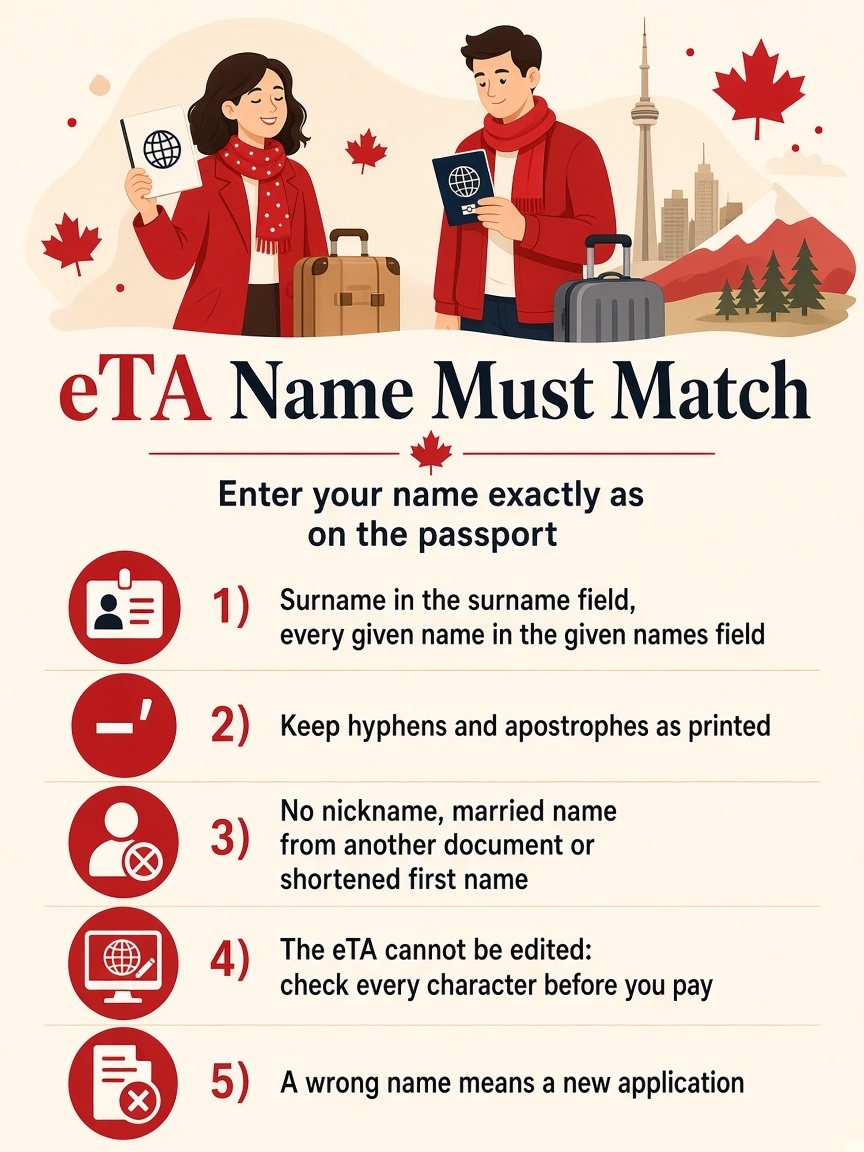
The short answer: type your name into the eTA form exactly as it is shown on the passport you will travel with, because the form itself says “Please enter exactly as shown on your passport or identity document”. Do not shorten it, translate it, add a middle name from another document or change the order. If you already submitted a name that differs from the passport, an eTA cannot be edited after submission, so the safe route is a new application with the correct name.
Most name problems start with a passport that does not look like the form: a long list of given names, a hyphen, an accent, or a surname that appears in more than one place. If your worry is a wrong passport number rather than a wrong name, read what to do when an application contains an error. If you are still at the stage of filling in the form, the first-time step-by-step guide shows where the name fits in the whole process.
Why does the eTA name have to match the passport?
An eTA is linked electronically to one passport, not to a person in general. When you check in for a flight, the airline checks the passport you present against the Canadian system. The check depends on the passport details you gave in the application, so the name, the passport number and the country code all have to describe the same document.
The Government of Canada application asks for two separate name fields. The first is “Surname(s) / last name(s)” and the second is “Given name(s) / first name(s)”. Both carry the same hint: enter the name exactly as shown on your passport or identity document. That is the whole rule. The form does not ask for the name you use day to day, the name on your bank card or the name on your airline ticket.
Where do you find your name on the passport?
Use the passport information page, the page with your photograph. Most passports have a surname line and a given names line, and some also show a machine-readable strip at the bottom. Copy from the printed lines, not from the strip. The strip replaces hyphens and spaces with filler characters and writes accented letters without their accents, so a name copied from it can look different from the name in the printed field.
Check three things before you type anything:
- The order. Surname and given names sit in separate fields on the form. IRCC’s form guidance says to confirm the order from the machine-readable strip at the bottom of the photo page: the surname comes before the double chevron («), the given names after it.
- The spelling. Compare letter by letter. Similar names such as “Catherine” and “Katherine” are a common source of an unnoticed typo.
- The passport you will actually carry. If you hold two passports, use the details of the one you will show at the airport.
What if your name has more than one given name?
Enter all of the given names that appear in the given names field of the passport, in the same order. The form field is “Given name(s)”, so it is designed for more than one. A traveller whose passport reads “Anna Maria Sofia” in the given names line should not enter only “Anna”, even if that is the name everyone uses.
If the passport shows no given name at all, note that on the form only the surname field is marked as required, while the given names field is not. If your passport shows a single name only, enter the whole name in the surname field, as IRCC’s form guidance directs.
How do you handle hyphens, apostrophes and accents?
Copy them the way the passport prints them. If the passport shows “Jean-Pierre”, type “Jean-Pierre” and not “Jean Pierre”. The form gives no separate instruction for accented letters, so enter the letter as it is printed if your keyboard allows it.
The passport number follows a different rule. The government instructions for the passport number say not to enter special characters such as a hyphen, or spaces. Those instructions apply to the number, not to the name.
What if your name is written differently on other documents?
This is common after marriage, a legal name change or a move between countries with different naming customs. The rule is unchanged: the passport is the reference. Your ticket should also match the passport. If it does not, ask the airline to correct the ticket, so that the ticket, the passport and the eTA all agree. For the married-name case in particular, see name changes after marriage.
| Situation | What to enter in the eTA form |
|---|---|
| Married name on the passport, birth name on old documents | The name on the passport you will carry |
| Two given names, one used in daily life | Both given names, in passport order |
| Name with a hyphen | The hyphen, as printed |
| Surname with a prefix such as “van” or “de” | As the passport prints it, in the surname field |
| Single name only | As printed; check the hint under each field |
| Name changed and a new passport issued | Apply again with the new passport details |
What if your passport changes after you have an eTA?
An eTA is tied to one passport. If you renew or replace your passport, the old eTA no longer matches the new document, and you need to apply again with the new passport details. What to do after a new passport is issued covers that case step by step. A change of name that produces a new passport works the same way.
What if you already submitted the wrong name?
An eTA cannot be edited after you submit. That is why the checking step before payment matters. If you notice the mistake before paying, go back and correct the field. If you notice it after submitting and the application is still pending, you can contact IRCC to flag the error, as the guide to correcting an application error explains. If the eTA has already been approved, the reliable route is a new application with the correct passport details. The Government of Canada warns that entering a wrong passport number or country code may mean you cannot board your flight, that you may only find out at the airport and that a last-minute eTA may not be possible in your situation. A misspelled name is less clear-cut than a wrong number, but the sensible reaction is the same: do not wait for the airport.
Before you reapply, check what actually differs. A single wrong letter in a long name is worth fixing. A capital letter where the passport uses small capitals is not a different name. If you are unsure which category yours falls into, apply again: the fee is small and a new application costs less than a missed flight. The fee for the earlier application is not refunded. A mismatch on its own is not a refusal; what a refusal means and what happens next is a separate question.
Should you ask a service to check the name for you?
A second pair of eyes helps if the passport is hard to read or the name is long. get-eta.com is a paid private service, clearly separate from the Government of Canada, where you can start your eTA application and have the details reviewed as you enter them. If you prefer to pay only the government fee, use the form on canada.ca and do the check yourself using the list above.
Frequently asked questions
Can I use a nickname on the eTA form? No. Use the name as shown on the passport, not the name you go by.
Do I enter my middle name? Yes, if it appears in the given names line of the passport. Enter the given names in the same order as the passport.
Does my ticket have to match my eTA? The eTA is linked to your passport, and the airline scans that passport at check-in to confirm it. Name rules for tickets are set by each airline, so check with your airline if your ticket shows a different name.
Can I edit the name after I submit? No. An eTA cannot be edited after you submit. Apply again with the correct name.
Which name do I use if I have two passports? The one you will show at the airport. The eTA is linked to that passport.
The short version
- Enter the name exactly as it is shown on the passport you will carry.
- Put the surname in the surname field and every given name in the given names field, in passport order.
- Keep hyphens and apostrophes; copy from the printed lines, not from the machine-readable strip.
- Do not use a nickname, a married name from another document or a shortened first name.
- The eTA cannot be edited: check every character before you pay.
- A new passport or a wrong name means a new application.
For the live rules and the form itself, see the Government of Canada page on how to apply for an eTA.