
The short answer: a first-time eTA application has six steps: check that you need one, open the application form, fill it in, pay the government fee, wait for the email, and check that the details match your passport. Have your passport, an email address and a payment card ready before you start. Most applications are decided within minutes. A minority need extra documents and can take several days, so it is safest to apply well before you book anything you cannot cancel.
If you are not sure that an eTA is the right document, read eTA or visitor visa: how to decide first. If you have already applied and are waiting, how to check the status of an eTA application is the page you want. The rest of this guide is for someone sitting down to apply for the first time.
What is an eTA, and who needs one?
An eTA (electronic travel authorization) is a document, linked electronically to your passport, that lets a visa-exempt foreign national board a flight to Canada. It is issued by Immigration, Refugees and Citizenship Canada (IRCC). It is required for air travel, including a connection at a Canadian airport, and generally not required if you arrive by land or sea. Canadian citizens, including dual citizens, cannot apply and must travel on a Canadian passport.
An eTA is not a visa and it does not guarantee entry. A border services officer decides whether you may enter each time you arrive. The land and sea rules explain the exceptions.
What should you prepare before you start?
Have these ready before you open the form, because the form cannot be saved and started again later:
- A valid passport from the country you are travelling under. Have it in your hand so you can copy the number, dates and spelling exactly.
- An email address you can open now. The decision and the application number are sent there.
- A payment card. Canada accepts Visa, Mastercard and American Express, prepaid versions of those, Visa Debit, Debit Mastercard, UnionPay and JCB.
- Your travel and background details. The form asks about your occupation (which occupation to pick if you have no employer), and it asks a set of background questions about health, prior refusals and criminal history. Answer them truthfully. Correcting mistakes before you submit covers what to do if you realise you made an error.
If your application is complete and your answers are consistent with your passport, most of the delay risk goes away. Guessing at a passport number or a date is the most common reason a first application goes wrong.
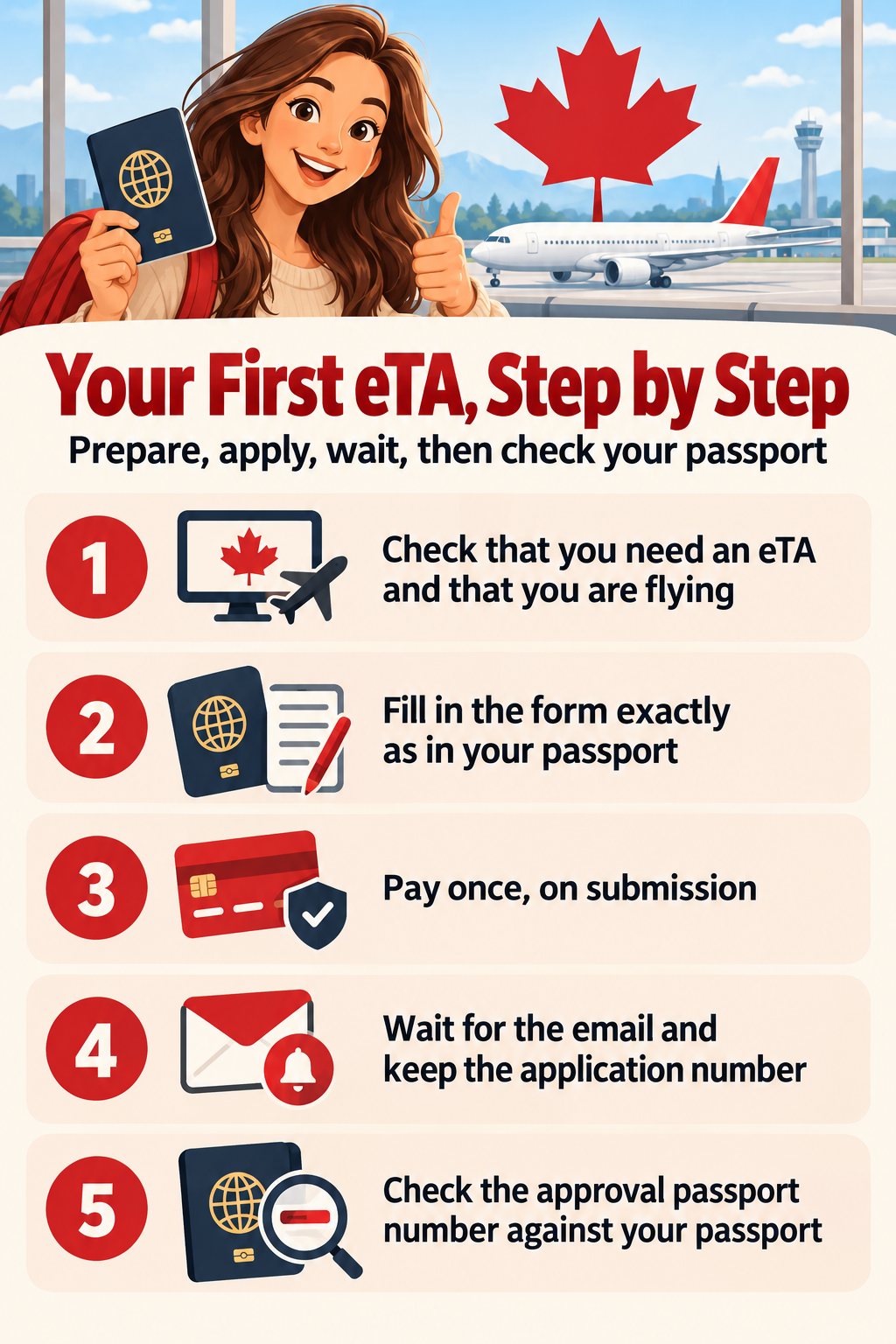
The six steps
Step 1: Check that you need an eTA
Look at your passport country on the Government of Canada page on who needs an eTA. If your country is on the visa-exempt list and you are flying, you need one. If you hold a US green card you are exempt. If you are not sure, the eTA-or-visa guide walks through the cases. If you live outside your passport country, see eTA rules for residents of another country.
Step 2: Open the application form
Applicants apply online. The government application is on canada.ca. If you prefer to have someone help you with the form, get-eta.com is a paid private service, clearly separate from the Government of Canada, where you can start your eTA application. Both routes end at the same IRCC decision.
Step 3: Fill in the form
The form is in sections: passport and personal details, contact details, employment, travel information and background questions. Enter your name exactly as it appears on the passport data page. Extra middle names, a shortened first name or a missing character can cause a mismatch later, and an eTA cannot be edited after submission.
Step 4: Review and pay
Before you pay, read each answer again against your passport. The government fee is charged when you submit, and it is not refunded if you change your plans or the application is refused. Any amount above the government fee is a service fee from whoever helped you with the form.
Step 5: Wait for the email
Most decisions arrive within minutes. If IRCC asks for more documents, the decision can take several days. The email carries your application number, so keep it. If nothing arrives, look in your spam folder and then read what to do if the application cannot be retrieved.
Step 6: Check the approval against your passport
When the eTA is approved, compare the passport number in the email with the passport you will carry to the airport. The eTA is linked to that one passport. If you renew your passport later, you need a new eTA. The airline checks the eTA electronically at check-in. Print or save your payment receipt as soon as you pay: the government form does not let you print it later or send you a copy.
How long does the eTA last?
An approved eTA lasts five years at most, and it ends sooner if your passport expires first. You can use it for multiple short visits during that time. The eTA does not decide how long you can stay on each visit; the officer at the border does that. Why the five years may be shorter explains the passport-expiry effect.
First-time mistakes to avoid
| Mistake | What happens | What to do |
|---|---|---|
| Wrong passport number | The eTA does not match your passport at check-in | Apply again with the correct number |
| Name spelled differently from the passport | Same mismatch | Apply again with the exact spelling |
| Typo in the email address | The approval email goes to the wrong inbox | Read what to do if the application cannot be retrieved |
| Applying with the wrong passport | The airline scans a different passport | Apply again with the passport you will carry |
| Leaving it until the day of the flight | A rare delay can cost you the flight | Apply as soon as you book |
Frequently asked questions
Do I need a separate eTA for each person in my family? Yes. Every traveller, including children and infants, needs their own eTA on their own passport.
Can I apply after I book my flight? Yes, and that is the normal order. You do not need a flight booking to apply, but you do need an eTA before you board.
What if my application is refused? You can read the reason in the notice and decide whether to apply again or apply for a visitor visa. See what happens after a refusal.
Do I need an eTA to change planes in Canada? Generally yes, if you pass through a Canadian airport on a flight.
Can I apply from my phone? A computer is easier. The form cannot be saved, so a keyboard and your passport in front of you make it faster.
The short version
- Confirm that your passport needs an eTA and that you are flying.
- Have your passport, an email address and a payment card ready.
- Fill in the form without guessing; the form cannot be saved.
- Pay the government fee once, on submission.
- Keep the application number from the email.
- Check the passport number on the approval against your passport.
For the live rules, see the Government of Canada page on how to apply for an eTA.